
SolarEdge
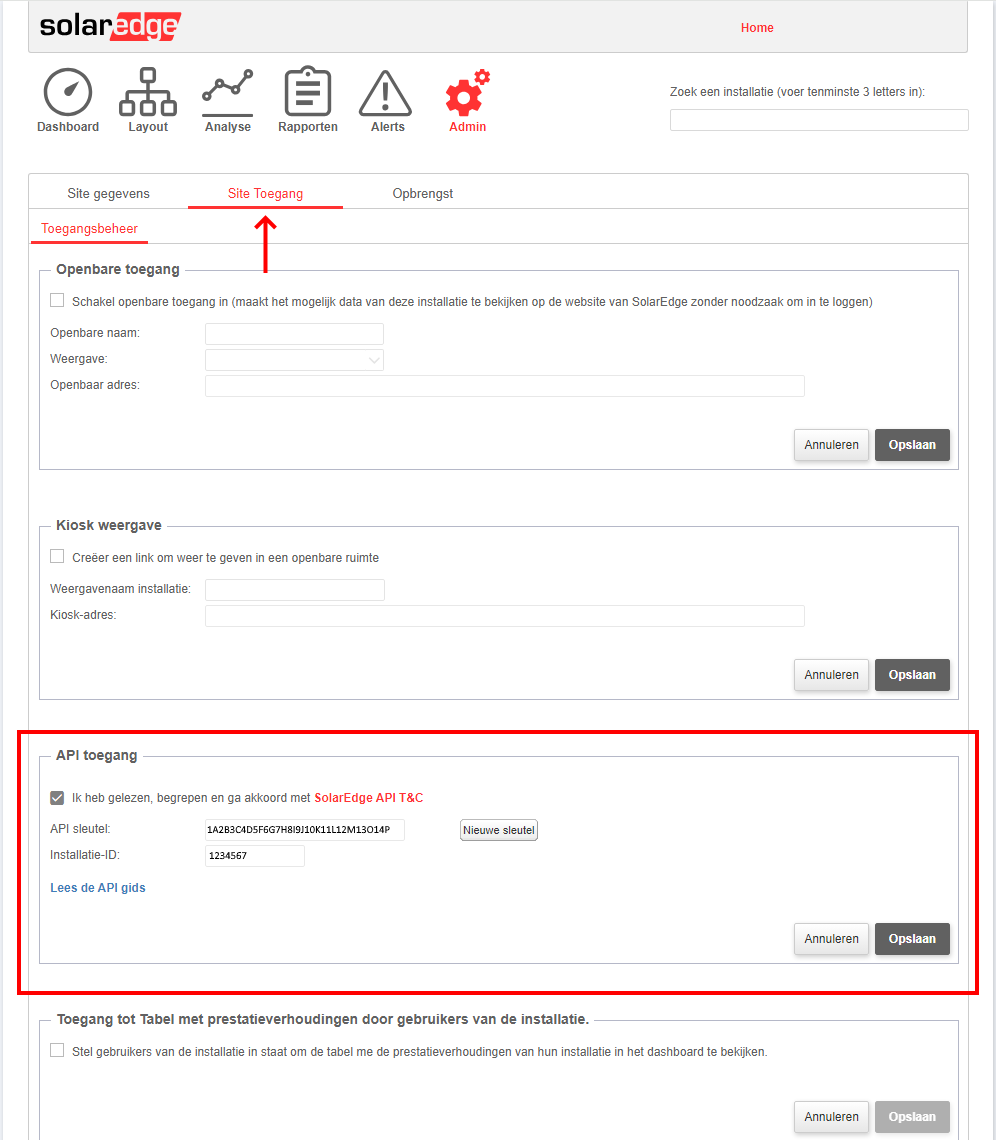
API key and site ID from the SolarEdge dashboard.
SolarEdge uses an API key and a site ID to check access. Both are in the SolarEdge dashboard.
- API key: 32 characters, capital letters and digits
- Site ID: 6 or 7 digits
The SolarEdge dashboard
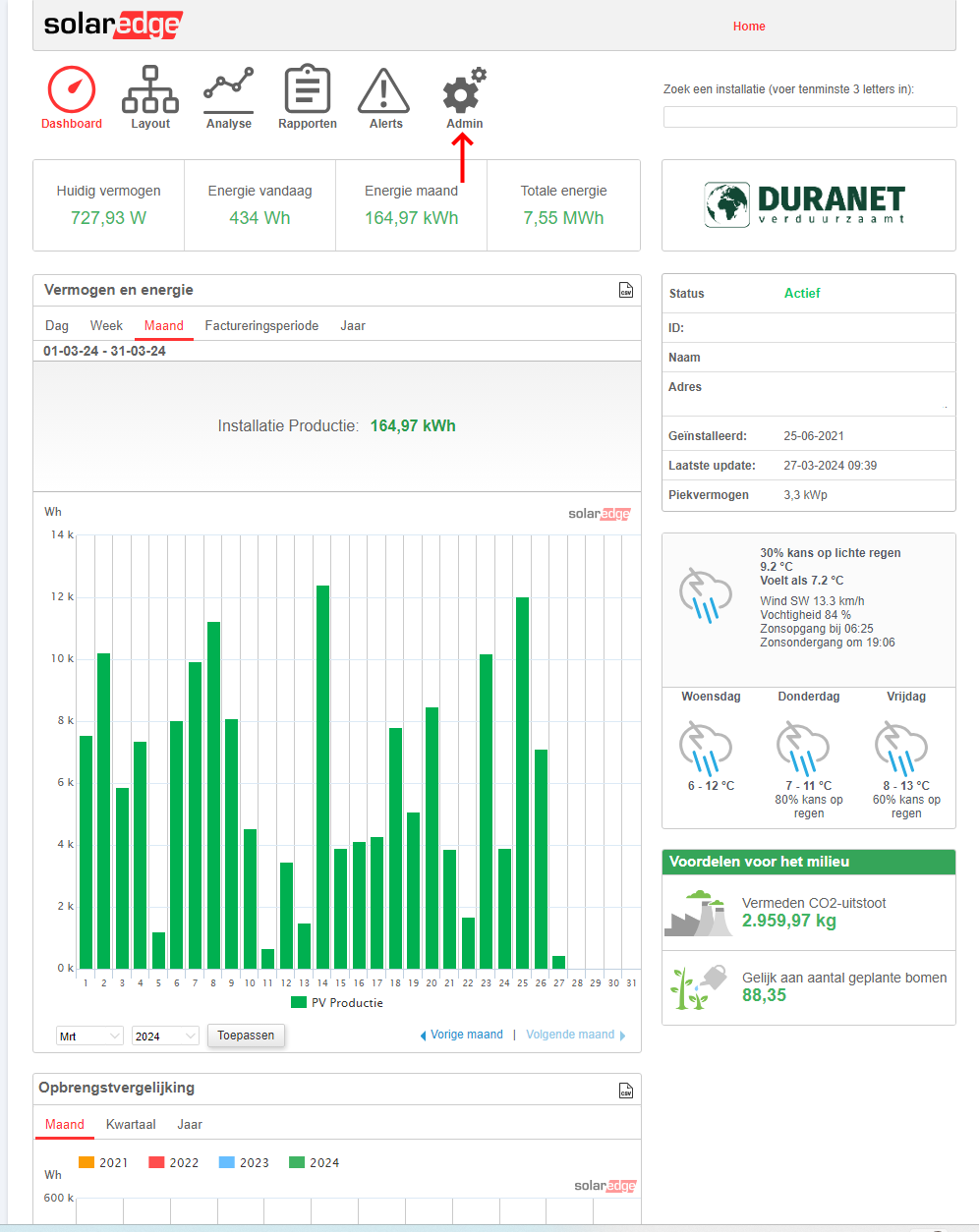
Log in to the SolarEdge web portal.
API key and site ID
In the dashboard, click Admin.
Click Site Access. The API key and site ID are under API Access.
Channel
- production: generation per quarter hour (kWh)
Historical data
When you add a system, Meterbeheer collects its production of the past 50 days.