Anexo
Authorize Meterbeheer in the Anexo dashboard.
Anexo is a commercial metering service for large consumption connections.
Anexo Pro account
To collect metering data, Meterbeheer needs an Anexo Pro account. The user of the connection takes it out.
Authorize Meterbeheer
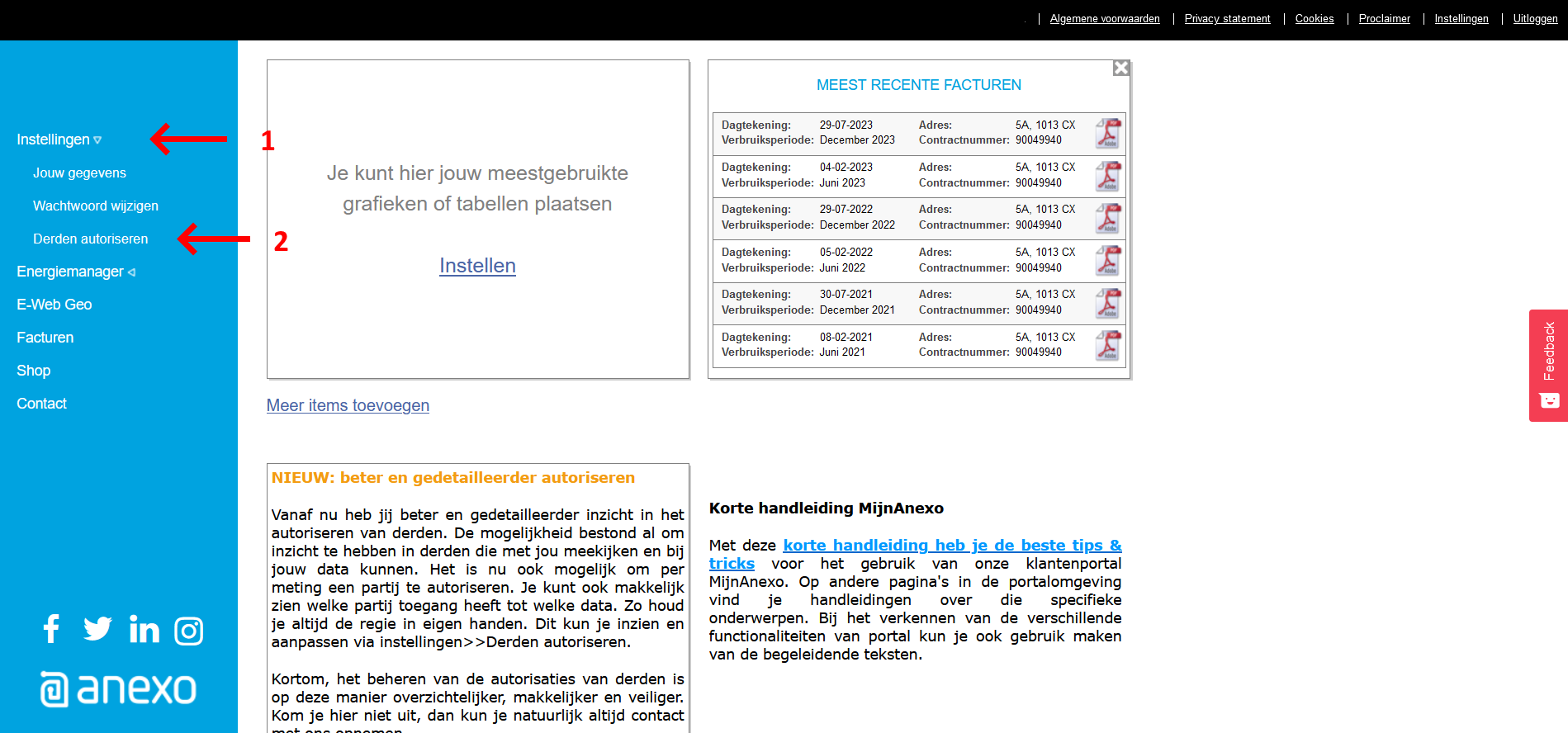
To collect metering data, Meterbeheer has to be authorized in the Anexo dashboard:
- Log in with the Anexo account at anexo.energy.
- Click Instellingen (Settings, arrow 1).
- Click Derden Autorisatie (Third-party authorization, arrow 2).
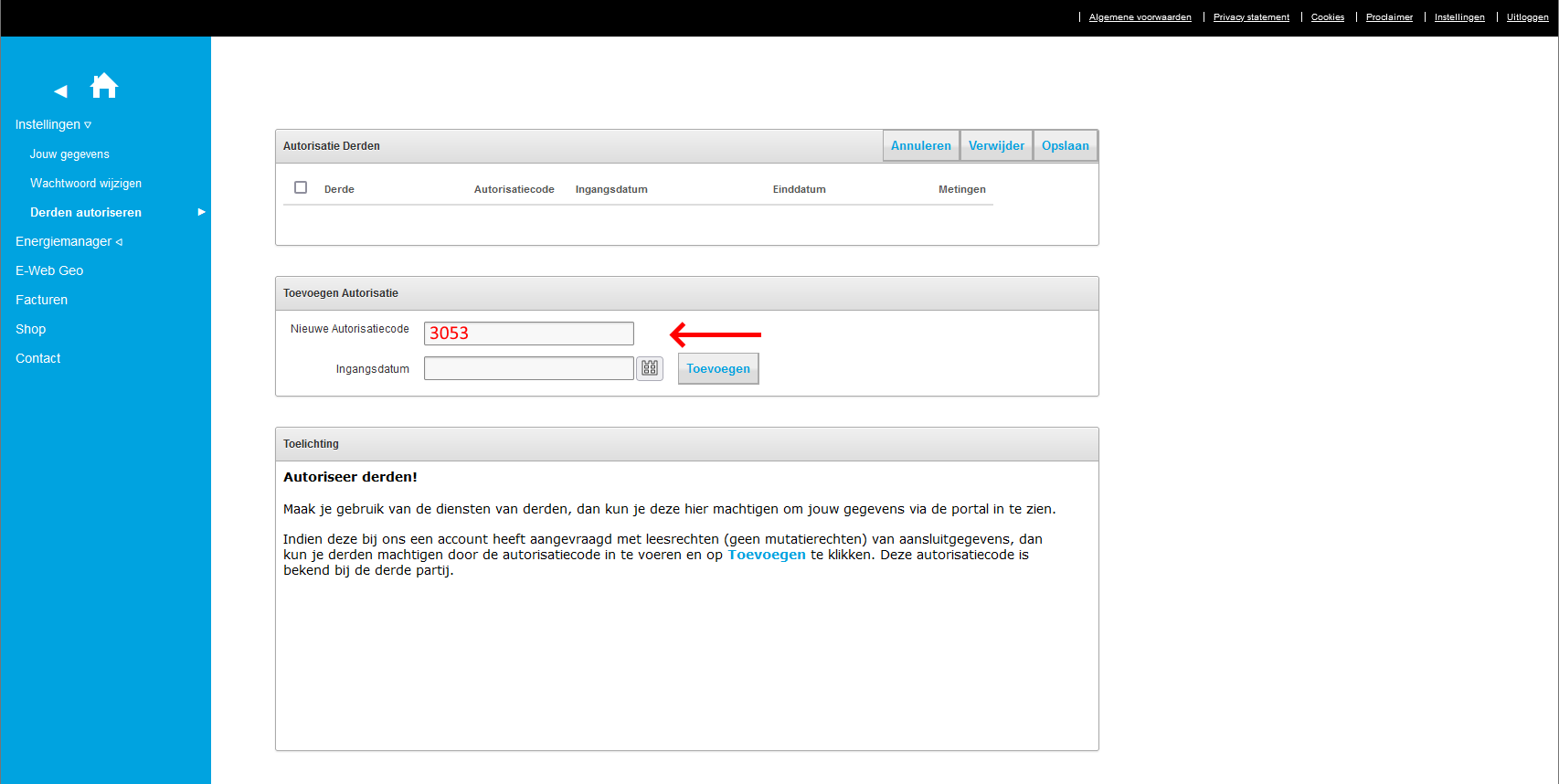
Fill in:
- Authorization code: 3053
- Name: Meterbeheer (CHJ Internet)
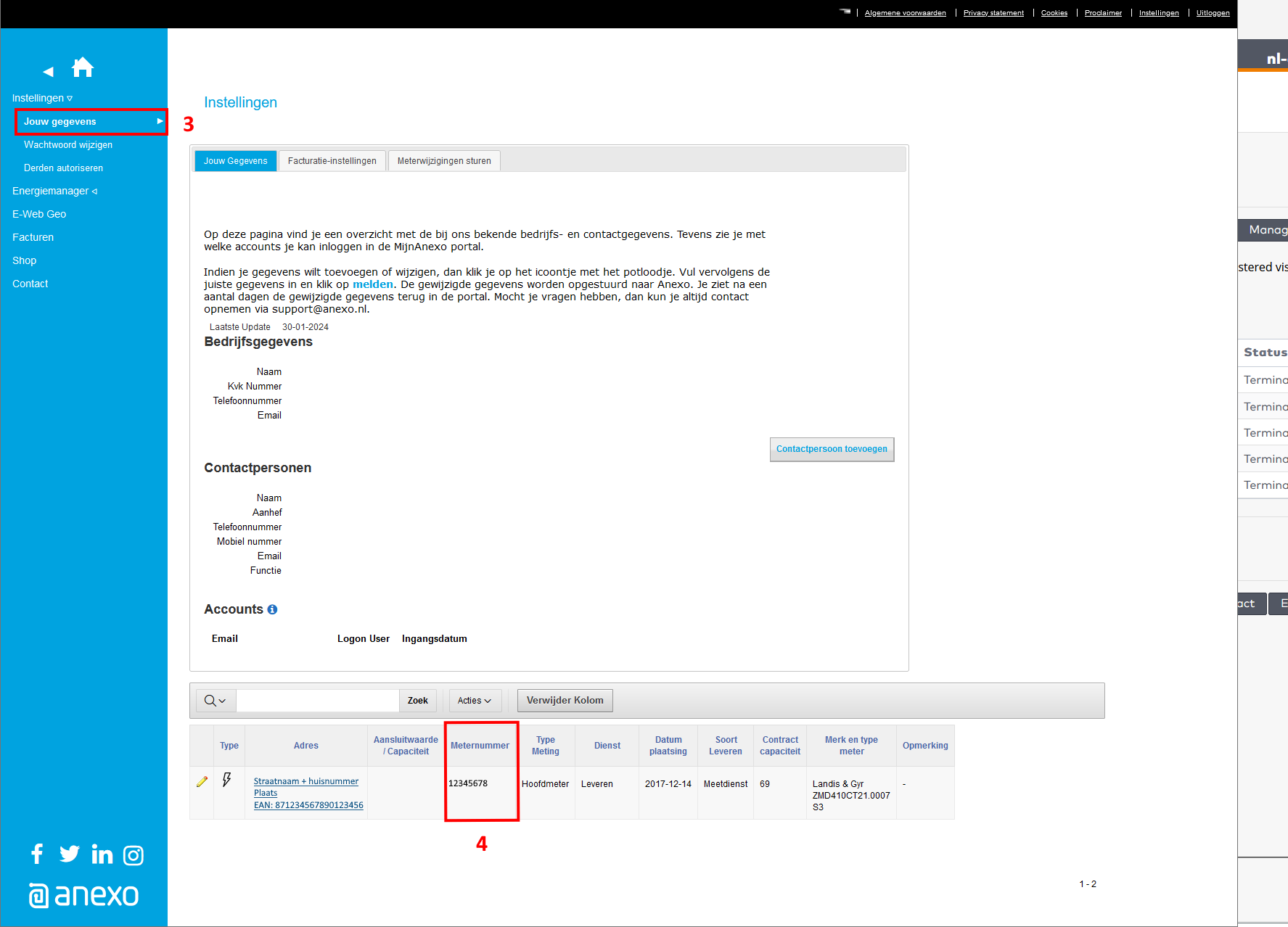
Meter number
The meter number is in the Anexo dashboard. Under Instellingen (Settings) and Jouw gegevens (Your details, 3) it is listed with the meter details (4).
Client ID and Client Secret
Meterbeheer uses its own Client ID and Client Secret for Anexo. You don't need to ask the user of the connection for them; leave the fields empty.
Channels
- ELI: electricity consumption
- ETLI: electricity feed-in
- GI: gas consumption
For a gross production meter, the generation is on the ELI channel.
Intervals
Anexo delivers most meters per 5 minutes and some per quarter hour. The feed contains the intervals as Anexo delivers them.
Historical data
When you add a meter, Meterbeheer collects the data of the past year, as far as Anexo has it.
Add the meter
After the authorization, you add the meter through Add feed in the dashboard. See Add a meter.